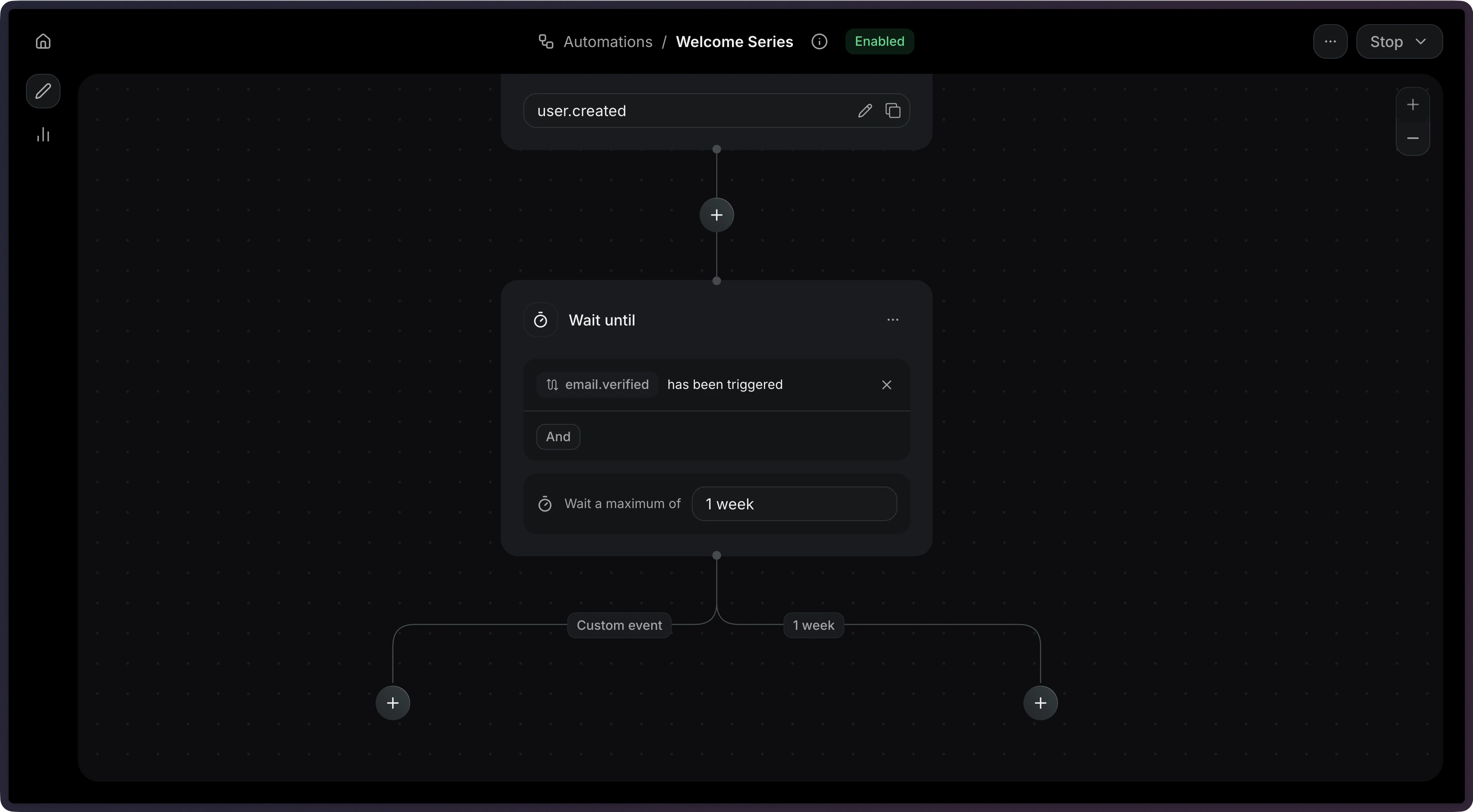
Hold your Automations until a specific event is received.
Automations are currently in private alpha and only available to a limited
number of users. APIs might change before GA.To use the methods on this page, you must upgrade your Resend SDK:
npm install resend@6.10.0-preview-workflows.3
Contact us if you’re interested in testing
this feature.
A wait-until step holds the Automation until a specific event is received.Unlike a delay, which resumes after a fixed time, this step resumes when something happens in your application.Common use cases:
Payment — Wait for a payment to succeed before sending a receipt.
Adoption — Wait for a user to complete an action to unlock a feature.
Verification — Wait for the user to verify their email before continuing.
When you set a timeout_seconds, the step will stop waiting after that duration. This prevents Automations from waiting indefinitely.When a wait-until step times out, it produces two possible edge types:
Edge type
When it’s used
event_received
The event arrived before the timeout
timeout
The timeout elapsed without receiving the event
You can create different paths depending on whether the user took action within an given time period.
Use filter_rule to match events that meet only specific criteria. This is useful when the same event name might be sent with different payloads.For example, to wait specifically for a successful payment: